Fixed location
Search for a place, drop a pin or type coordinates, then Set location. Geovoya keeps the point in place and reconnects the same phone if the cable blips.
Geovoya is a GPS location changer for iPhone and Android. Hold a point, follow real roads or walk around, over USB or Wi-Fi, from Windows or macOS. No jailbreak, no root.
Free plan available · Open source under GPL-3.0 · No account needed to start
How it works
Geovoya runs on your computer and talks to the phone through Apple’s and Google’s developer interfaces. Nothing to install on an iPhone.
Download Geovoya for Windows or macOS and plug your phone in with a data cable. Everything the connection needs is bundled.
On iPhone, tap Trust and turn on Developer Mode; Geovoya reveals the switch and prepares the phone for you. On Android, enable USB debugging.
Search, drop a pin or plan a route, then Set location or Start route. Restore real location whenever you’re done.
Included in every plan
Reliable connections, clear status and a clean way back to your real location.
Search for a place, drop a pin or type coordinates, then Set location. Geovoya keeps the point in place and reconnects the same phone if the cable blips.
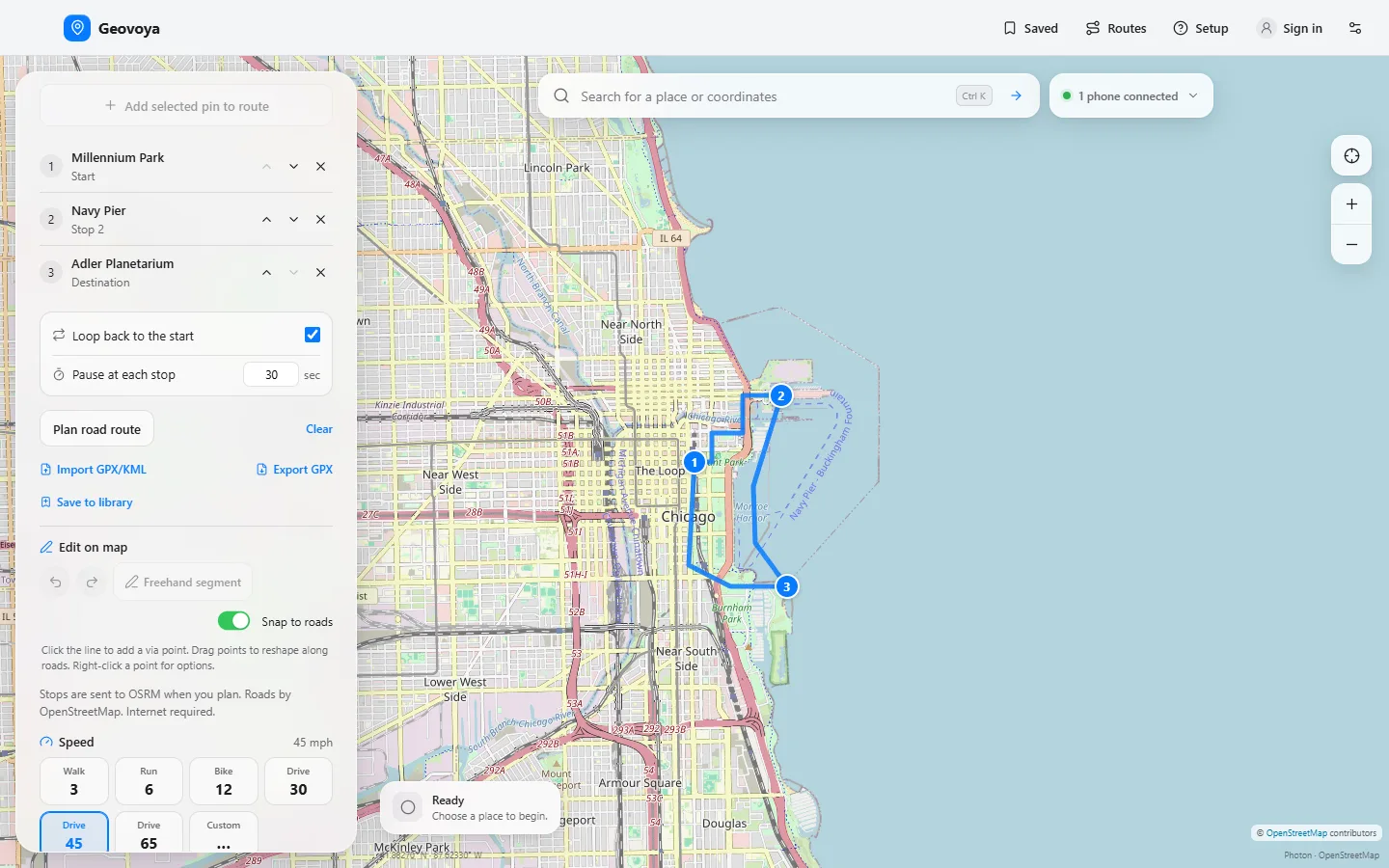
Plan a start-to-destination route on OpenStreetMap roads and play it back with a new position every second. Pause, resume and hold at the destination.
Start on a cable, then switch the same phone to your Wi-Fi network in one click. The current location and a running route carry over.
A live checklist for iOS 17.4+: the Trust prompt appears on its own, Geovoya reveals the hidden Developer Mode switch and mounts Apple’s developer image automatically.
Bundled ADB and a mock-location helper that Geovoya installs and selects for you. No root. Android 11+ can also pair over Wi-Fi without a cable.
Enter to set, Space to start or pause, R to restore, ⌘K / Ctrl+K to search, and ? for the full list.
Restore real location clears the simulation. Status shows what the phone actually acknowledged, and a lost connection is never shown as restored.
No analytics and no cloud location history. Without cloud sync, your places and routes never leave your computer.
Pro Geovoya Pro
Walk, script-like routes, several devices and a synced library, in the same app.
Walk mode Pro
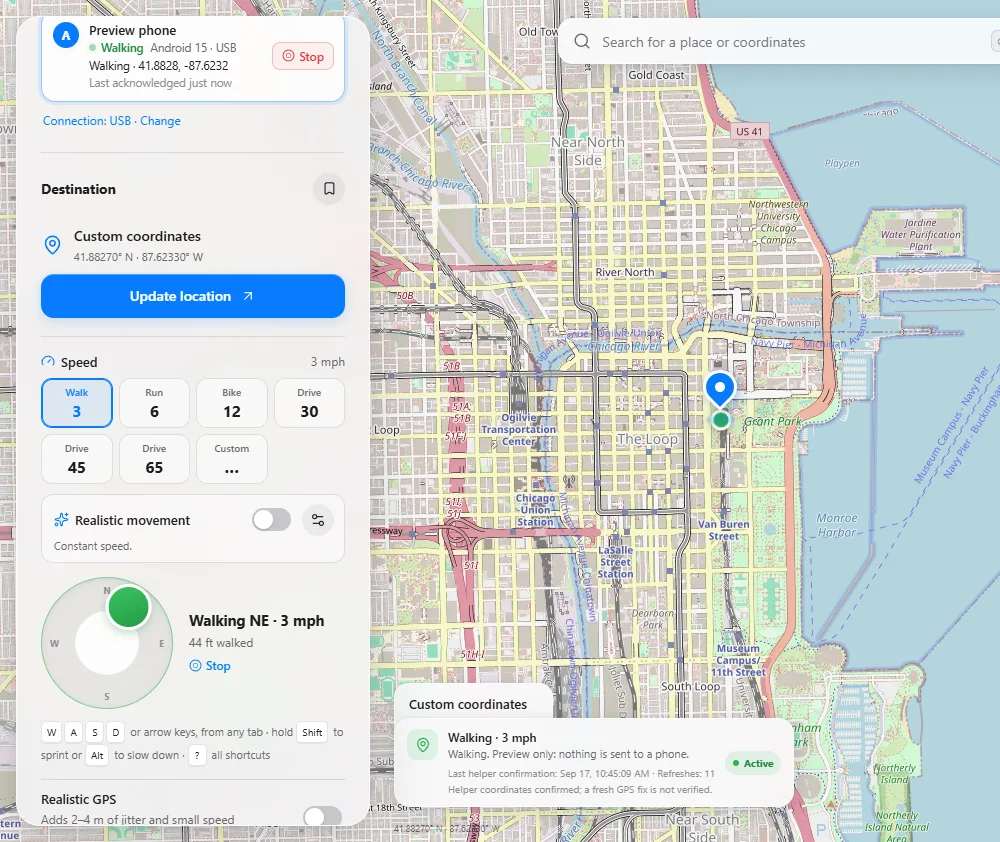
Steer with an on-screen joystick or hold W A S D. Choose a pace, from a 3 mph walk to a drive, and the map follows as the location moves once a second.
Realistic movement Pro
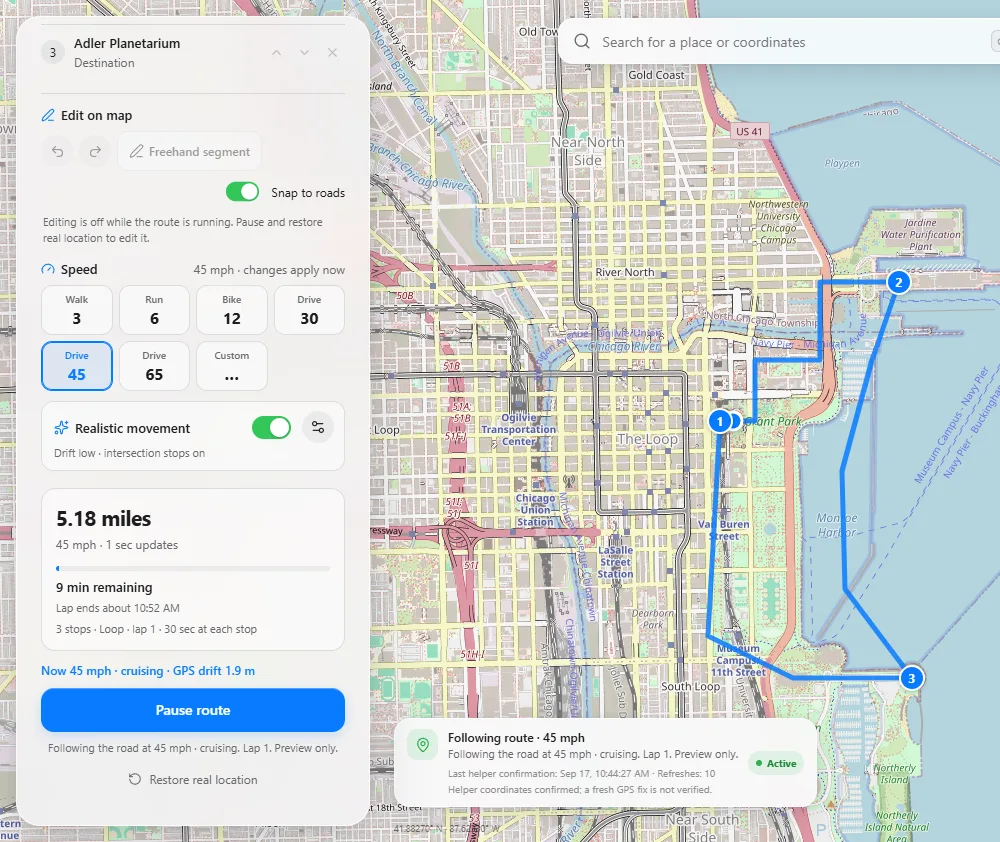
Chain up to 12 stops, loop back to the start and pause at each stop. Turn on realistic movement for gradual acceleration, slowing into turns and subtle GPS drift.
Several phones Pro
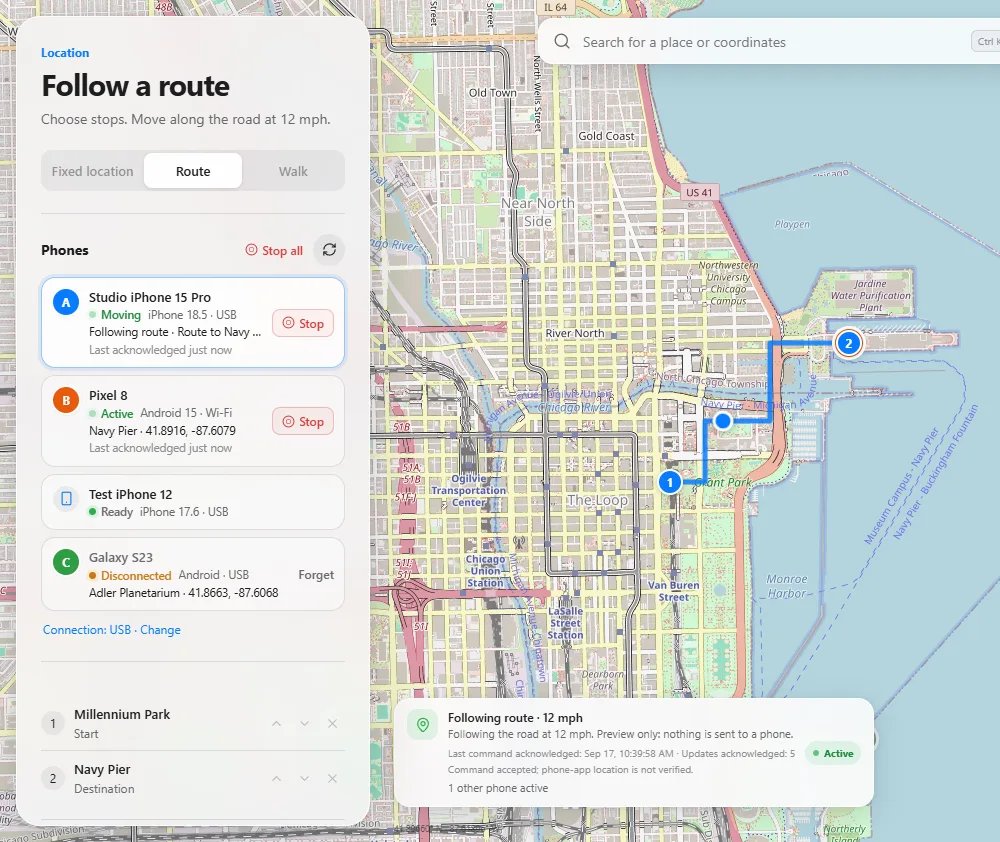
Each phone gets its own location, route or walk and its own lettered marker. One slow phone never holds up the others, and Stop all restores every device.
Route library Pro
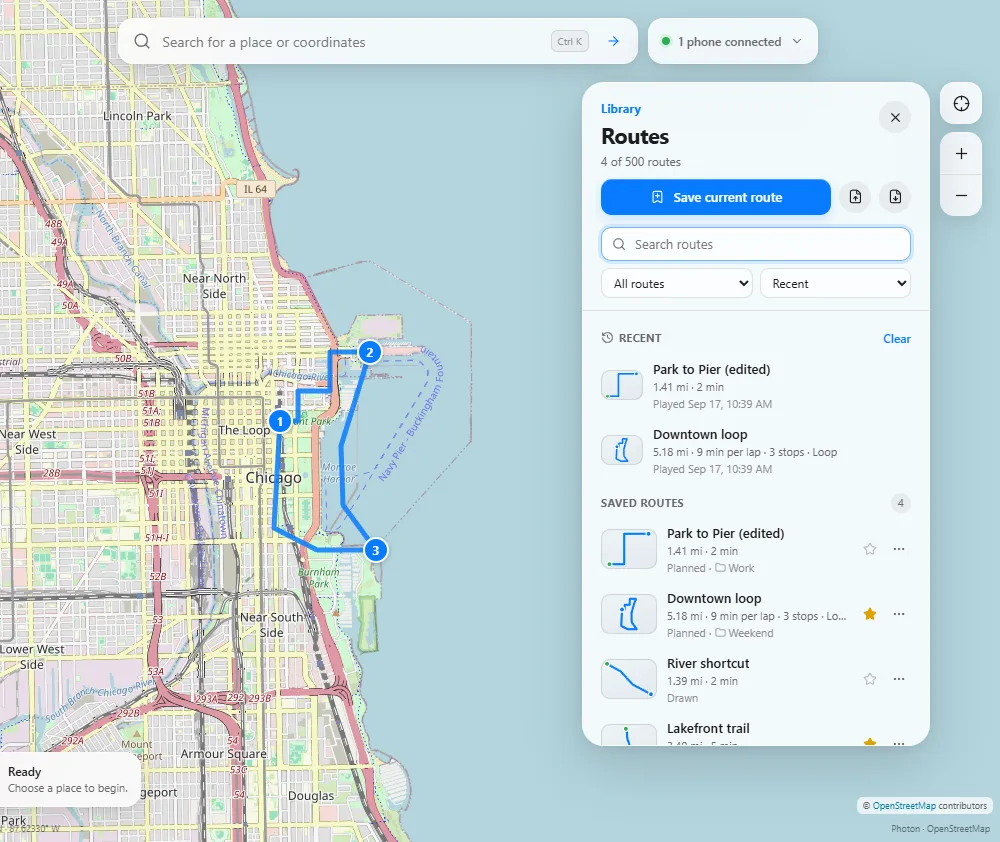
Save planned, imported or hand-drawn routes with collections, favourites and notes. Import GPX or KML tracks, reshape any route right on the map and export it again.
Cloud sync Pro
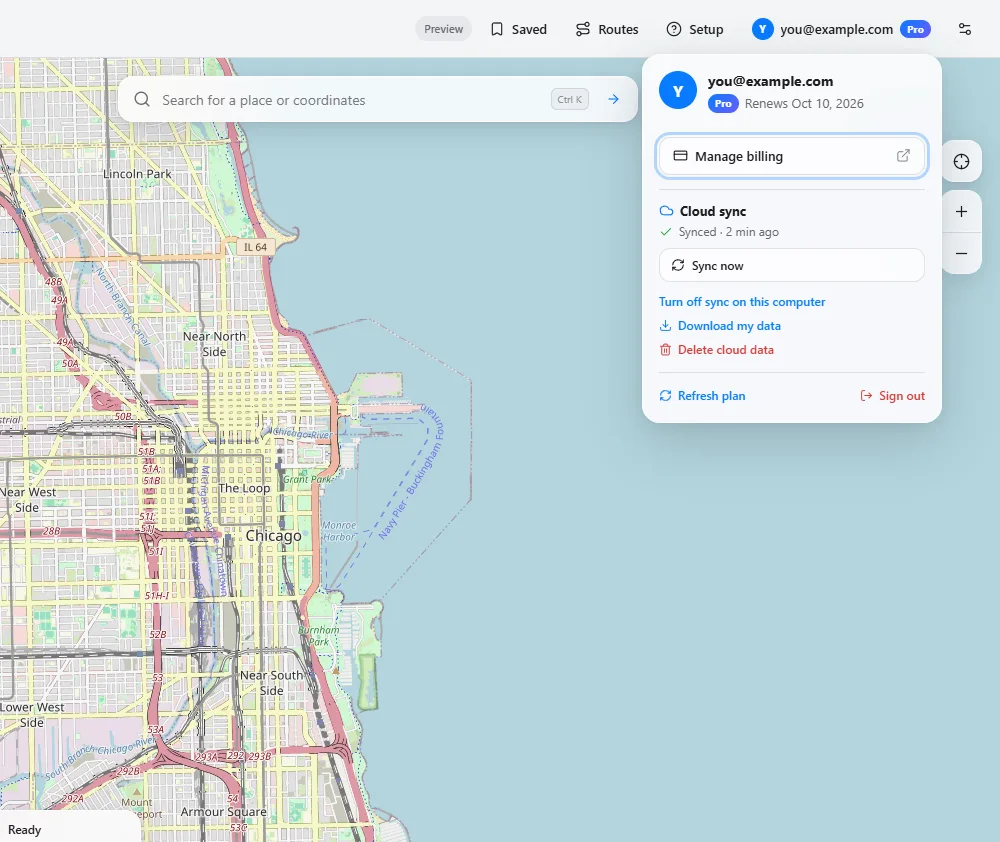
Sign in once and your saved places, routes, play history and shared settings follow you. Download or delete your cloud data any time from your account.
Who it’s for
Reproduce geofence, tracking and navigation bugs on real devices with repeatable routes, GPX tracks and several phones at once.
Keep your exact whereabouts to yourself in the contexts where that’s your call. No telemetry, and your data stays local unless you sync.
Show a location-based product as it works in another city, or check how an app looks before you arrive somewhere new.
Use location simulation responsibly. Only use Geovoya on devices you control. Many apps and services forbid simulated location in their terms, so respect them and the law where you live. Don’t use it to deceive or harm anyone.
Pricing
One plan with everything. Monthly or yearly, cancel any time.
Checkout canceled. You haven’t been charged. Pick a plan again whenever you’re ready.
Everything you need to set a location.
$0forever
No account needed.
For testing, demos and power users.
$79per year
$6.58/month billed yearly
Everything in Free, plus:
Prices are shown in US dollars and confirmed at checkout, where any tax is added. Cancel any time. Checkout needs a Geovoya account; sign in takes a few seconds with an email link.
Geovoya is a desktop app for Windows and macOS that sets the GPS location of a connected iPhone or Android phone. You can hold a fixed point, play back a route on real roads, or, with Pro, walk around with a joystick and control up to three phones at once. It works over a USB cable or, once set up, the same Wi-Fi network.
Developers and QA engineers testing location-aware apps on real devices, people who want to demo a product in another city, and privacy-minded users who don’t want to share their exact whereabouts in a specific context.
The free plan covers one phone, fixed locations, two-stop road routes at 45 mph, 3 saved routes, place search and keyboard shortcuts. Pro adds walk mode, any route speed, multi-stop routes with loops and pauses, GPX/KML import and export, realistic movement, a 500-route library with on-map editing, up to three phones at once and cloud sync.
Pro is $9.99 per month or $79 per year. Prices are shown in US dollars; the final amount, including any tax, is confirmed at checkout. You need a Geovoya account to subscribe, and you can cancel at any time from the billing portal.
No. On iPhone, Geovoya uses Apple’s developer services, which you turn on with Developer Mode. On Android, it uses USB debugging and a mock-location helper app (Appium Settings) that Geovoya installs for you.
Computers: Windows 10/11 on 64-bit Intel or AMD processors, and macOS on Apple silicon or Intel. Windows on ARM and Linux are not supported. Phones: iPhone XS/XR or newer on iOS 17.4 or later, and Android 8.0 or later. Cable-free Android pairing needs Android 11 or later.
Geovoya is made for app development, QA testing, demos and privacy. Many apps and services forbid falsified location in their terms. Only use it on devices you control, respect those terms and the law where you live, and never use it to deceive or harm people.
Download Geovoya for Windows or macOS, connect your phone and set your first location. Free to start, Pro when you need more.